Before you start
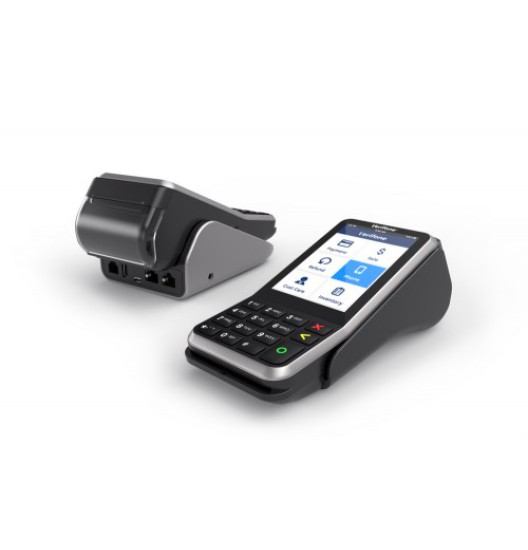
The V400m is a mobile model with an integrated printer. This is an older model. The manuals remain available for existing installations; if you want to replace it, we will gladly help you with a current alternative.
- Fully charge the battery using the original power supply or the matching base station.
- Check that the terminal is connected via Wi-Fi or the mobile network.
- Insert a suitable thermal paper roll if you want to print a payment receipt.
Connecting and starting up
- Connect the original power supply or place the V400m on the base station.
- Press and hold the power button until the terminal starts.
- Wait until the payment app and network connection are fully ready.
- Check the date, time and connection symbol.
- Carry out a small test payment and check the transaction result and the receipt.
Daily use
- Enter the amount and check it before handing the terminal to the customer.
- Let the customer pay contactless or insert the card and follow the instructions.
- Wait for the final approved or declined message.
- Hand over the receipt if the customer wants one.
- After use, place the terminal on the base station or charge it in good time.
Only replace the paper roll when no transaction is in progress. If the receipt comes out of the printer blank, insert the thermal roll the other way round.
What can you check yourself?
- Check the battery level, power supply and the contact points of the base station.
- Check Wi-Fi or mobile coverage and, after a network change, wait until the connection is restored.
- Check that the paper roll can turn freely and that the cover closes properly.
- Write down the full error message before restarting the terminal.
Safety and maintenance
- Only use a suitable power supply and battery approved by the manufacturer.
- Do not open the terminal; security mechanisms may lock the device.
- Check the housing, card readers and security labels for damage or tampering.
- Keep the terminal away from moisture, extreme heat and hard knocks.
Clean the housing with a soft, slightly damp cloth. Do not use aggressive cleaning agents and prevent moisture from entering card readers, connectors or ventilation openings.
Official documentation
This page is a practical summary by Pin Vandaag. The official PDF manuals are also stored locally on this website, so you can open them directly. For technical installation, connections and model-specific safety instructions, always use the manufacturer's documentation.